Static Object Detection
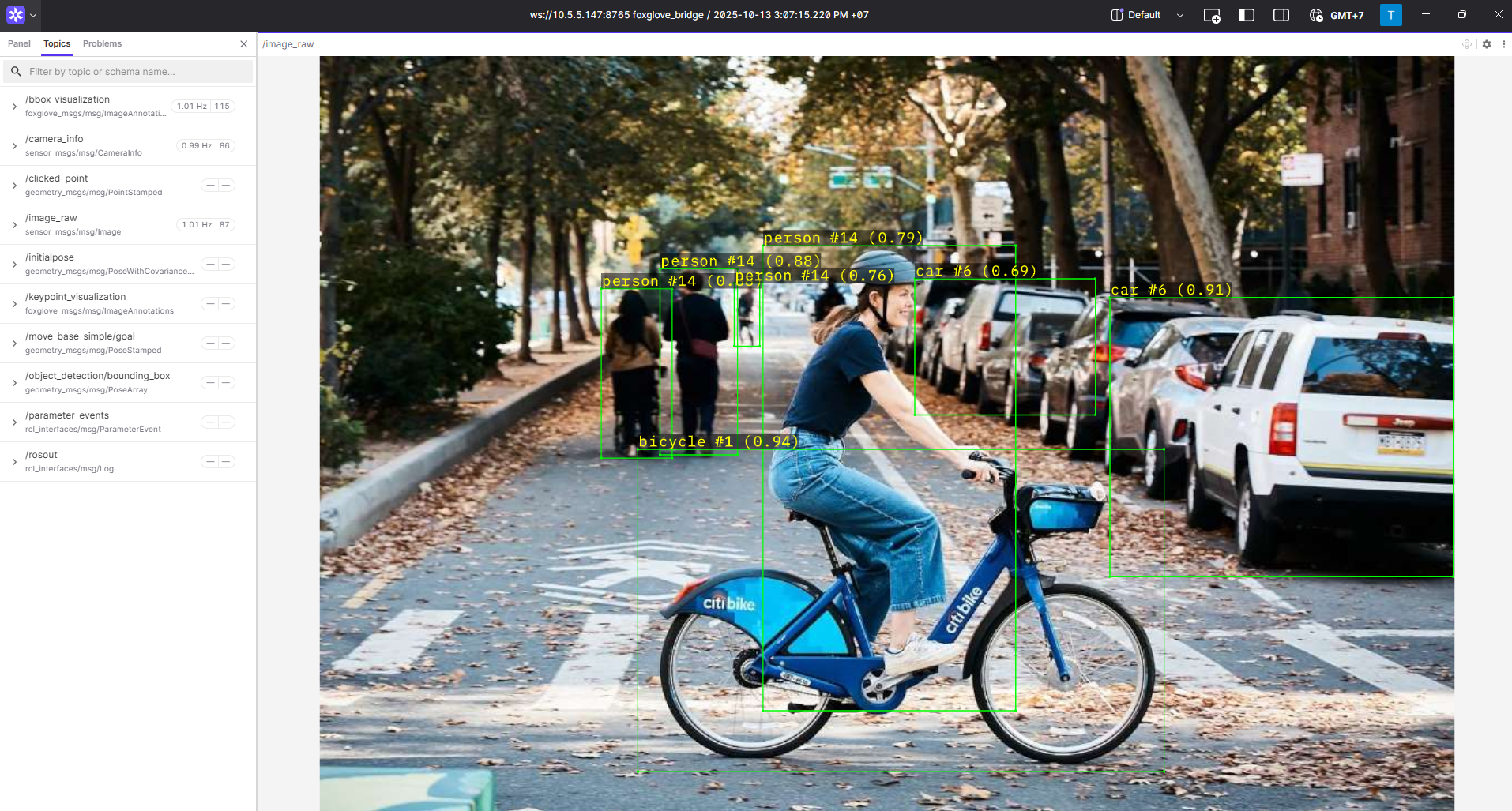
Static Object Detection Demo
The rcar_object_detection package runs object detection on bundled test images. It runs on its own, without a camera or a robot. It is the quickest way to check the YOLOv5 COCO detector on your board, and the gesture detectors behind the Rock-Paper-Scissors demo.
The package provides:
Object detection on the R-Car V4H SH, wrapped in a ROS 2 node that drives the rcar_model graph runtime.
Three models, each with its own launch file. The compiled models ship with the package under
config/models/:The YOLOv5 COCO model (80 classes), run on four lanes. Each lane pairs a TVM backbone with its own ONNX Non-Maximum Suppression (NMS) stage.
The YOLOv8 rock-paper-scissors model (3 classes), run on one lane.
The YOLOX rock-paper-scissors model (3 classes), run on one lane.
Per-lane inference timing, overlaid on the image.
Visualization through Foxglove Studio.
See Object Detection Applications for the topics, the node parameters, the models, and how to add your own model.
Hardware Setup
Complete the Prerequisites for Running Sample Applications.
Quick Software Setup Instructions
Note
Run every command below inside the cross-compilation Docker container set up in Prerequisites for Running Sample Applications.
Get the
ros2_demo_workspacerepository, which carries the manifest for each demo:cd ~/ros2_ws git clone https://github.com/renesas-rdk/ros2_demo_workspace.git
Import the repositories this demo needs with the
vcstool:vcs import < ./ros2_demo_workspace/vcs_manifests/rcar-v4h/static_object_detection.target.lock.repos
Every repository the demo needs is cloned into the
src/folder of the workspace, each pinned to the revision the manifest locks.Install the demo’s build dependencies into the target sysroot:
arm64-chroot apt update
sysroot-rosdep-install
The first run takes a while.
Cross-compile the workspace:
cross-colcon-build --packages-up-to rcar_object_detection
Deploy the result to the board and install the runtime dependencies there, as described in Deploying and Installing Dependencies.
Running the Demo
Load the workspace environment on the R-Car V4H SH board:
cd /home/ubuntu/ros2_ws
source /opt/ros/jazzy/setup.bash
source ./install/setup.bash
Launch one of the detectors on its bundled test images:
# YOLOv5 COCO detection, four lanes, one test image per lane
ros2 launch rcar_object_detection static_yolov5_4lane.launch.py

# YOLOv8 rock-paper-scissors detection, one lane
ros2 launch rcar_object_detection static_yolov8_rps.launch.py

# YOLOX rock-paper-scissors detection, one lane
ros2 launch rcar_object_detection static_yolox_rps.launch.py
Each launch file publishes its test images at 1 Hz and starts the detection node, one bounding-box visualizer and one timing overlay per lane, and a
foxglove_bridgeon port 8765. The bounding boxes and timing of lane<N>are published under/object_detection/lane<N>/.For visualization using Foxglove Studio, refer to the Foxglove Visualization section for setup instructions.
The input layout file for Foxglove Studio is located at
rcar_object_detection/config/foxglove/rps_static_image.jsoninside the ROS 2 workspace. It covers the single-lane YOLOv8 and YOLOX launch files.For the four-lane YOLOv5 launch file, add one Image panel per lane on
/image_raw_<N>and enable these image annotation topics on it:/object_detection/lane<N>/bounding_box_visualization/object_detection/lane<N>/inference_timing_visualization
For more details about the Static Object Detection application, refer to Object Detection Applications and to the README.md in the rcar_object_detection package.