Overview
WS125 Robotic Development Kit is a solution with Renesas new generation RZ/V2H MPU for AI application, which has AI inference processing performance of up to 80TOPS with multi-core CPU to run multiple OS simultaneously for high performance AI image processing.
It is also equipped with many interfaces that make it suitable for development and integration into a variety of robotic applications.
Software Environment
Category |
Description |
|---|---|
OS Support |
Ubuntu 24.04 (available in headless (Server) and Desktop). |
Default Credentials |
Username: ubuntu | Password: ubuntu |
ROS 2 Distribution |
Tested with ROS 2 Jazzy |
Hardware Environment
Items |
Description |
|---|---|
RZ/V2H |
CPU:
DRP:
DRP-AI3:
Package:
|
Memory |
LPDDR4 1600MHz - 16GB (8GB x 2) |
SD Card |
Includes a 64GB SanDisk microSD card in the box |
QSPI Flash ROM |
64MB |
Interfaces |
|
For more details about RZ/V2H RDK’s specification, visit the WS125 Robotic Development Kit Hardware Manual.
RZ/V2H RDK Image View:
The following image shows the top/bottom view of the RZ/V2H Robotics Development Kit (RDK) board, highlighting its main connectors and interfaces.
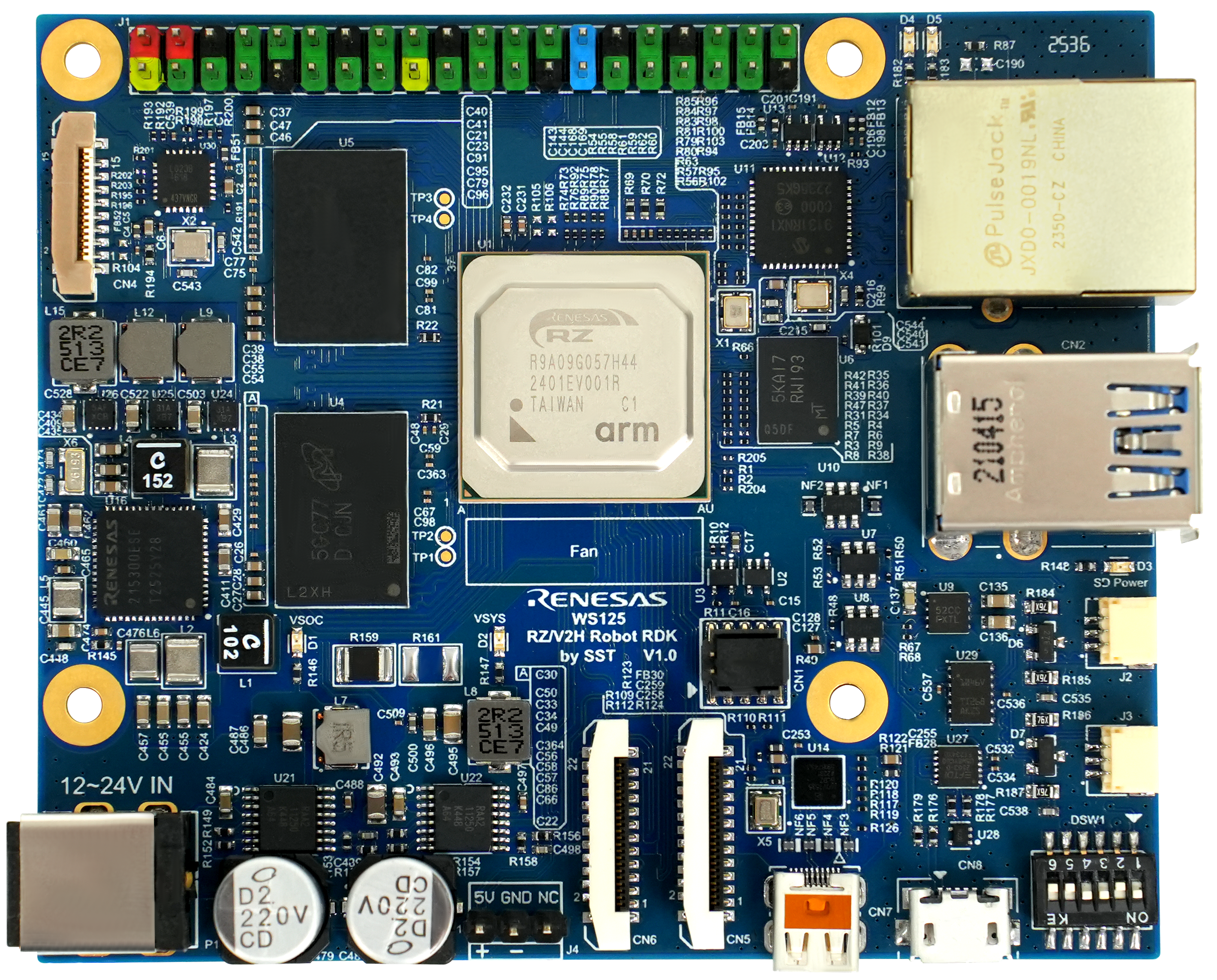
RZ/V2H RDK Top View
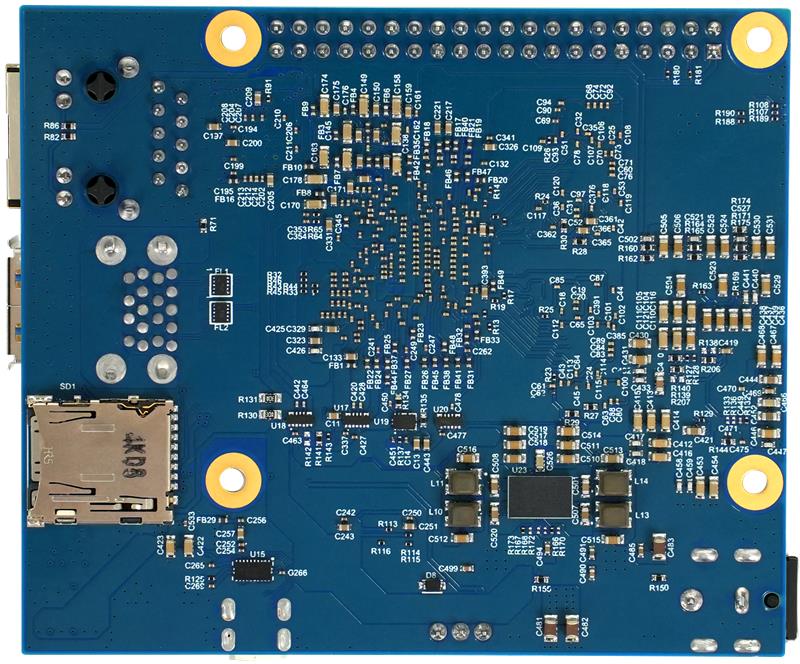
RZ/V2H RDK Bottom View
Development Environment
When setting up the development environment for the RZ/V2H RDK, it is important to have the necessary hardware components and software tools in place. Below is an overview of the required items and their descriptions.
RZ/V2H RDK
RZ/V2H RDK |
RZ/V2H Robotic Development Kit (RDK). |
AC Adapter |
Power Delivery adapter for the board power supply (included in box). |
HDMI Cable |
Used to connect the HDMI monitor to the board. The RZ/V2H RDK has an HDMI port. |
USB Camera |
Since the RZ/V2H RDK does not include a camera module, this will be the standard camera input source. Supported resolution: 640x480 Supported format: ‘YUYV’ (YUYV 4:2:2) |
Common
USB to microUSB Cable |
Used to connect the board to the PC for initial setup and development. |
Ethernet Cable |
Used to connect the board to the network for software installation and updates. |
HDMI Monitor |
Used to display the graphical output of the board. |
microSD Card |
Must have at least 16 GB of free space and must support high-speed mode. |
Ubuntu 24.04 PC with Docker |
Used for microSD card setup and development environment setup. Operating environment: Ubuntu 24.04 |
SD Card Reader |
Used for setting up the microSD card. |
USB Hub |
Used to connect a USB keyboard and USB mouse to the board. |
USB Keyboard |
Used to type strings on the terminal of the board. |
USB Mouse |
Used to operate the mouse on the screen of the board. |